This blog shows how to implement a delegated OAuth 2.0 Token Exchange RFC 8693 flow in ASP.NET Core, and has a focus on access token management. It looks at how the OAuth Token Exchange can be implemented and how an application can request delegated access tokens on behalf of a user and another application, providing a seamless and secure access to protected resources using a zero trust strategy.
Code: https://github.com/damienbod/token-mgmt-ui-delegated-token-exchange
Blogs in this series
- ASP.NET Core user delegated access token management
- ASP.NET Core user application access token management
- ASP.NET Core delegated OAuth 2.0 Token Exchange access token management
- ASP.NET Core delegated Microsoft OBO access token management (Entra only)
Setup
The solution implements an ASP.NET Core web application which authenticates using Microsoft Entra ID. The web application uses an API protected with a Microsoft Entra ID access token. This API uses another downstream API protected with Duende IdentityServer. The API exchanges the Microsoft Entra ID access token for a new Duende IdentityServer access token using the OAuth 2.0 Token Exchange standard. Both APIs use a user delegated access token. The tokens are persisted on the trusted backend using the IDistributedCache implementation. This can be an in-memory cache or a persistent cache. When using this cache, it is important to automatically renew the access token, if it is missing or invalid.

What must an application manage?
An access token management solution must ensure that tokens are securely stored per user session for delegated downstream API user tokens and updated after each UI authentication or refresh. The solution should be robust to handle token expiration, function seamlessly after restarts, and support multi-instance deployments. The tokens must be persisted safely in multiple instance setups. Additionally, it must effectively manage scenarios involving invalid or missing access tokens.
Properties of token management in the solution setup:
- The access token is persisted per user session
- The token expires
- The token needs to be persisted somewhere safely (Safe and encrypted storage if not in-memory)
- The token must be replaced after each UI authentication (per user)
- The solution must work after restarts
- The solution must work for multiple instances when deployed to multi-instance deployments.
- The solution must handle invalid access tokens or missing access tokens
- The application must handle a user logout
Client Implementation (Entra ID API)
An OAuth 2.0 Token Exchange token request is sent to the Duende IdentityServer using the ApiTokenCacheClient. The service persists the token in a cache per user. The cache is implemented using the IDistributedCache interface.
using IdentityModel.Client;
using IdentityModel;
using Microsoft.Extensions.Caching.Distributed;
using Microsoft.Extensions.Options;
using System.Text.Json;

namespace WebApiEntraId.WebApiDuende;

public class ApiTokenCacheClient
{
    private readonly ILogger<ApiTokenCacheClient> _logger;
    private readonly IHttpClientFactory _httpClientFactory;
    private readonly IOptions<WebApiDuendeConfig> _webApiDuendeConfig;

    private static readonly object _lock = new();
    private readonly IDistributedCache _cache;

    private const int cacheExpirationInDays = 1;

    private class AccessTokenItem
    {
        public string AccessToken { get; set; } = string.Empty;
        public DateTime ExpiresIn { get; set; }
    }

    public ApiTokenCacheClient(
        IOptions<WebApiDuendeConfig> webApiDuendeConfig,
        IHttpClientFactory httpClientFactory,
        ILoggerFactory loggerFactory,
        IDistributedCache cache)
    {
        _webApiDuendeConfig = webApiDuendeConfig;
        _httpClientFactory = httpClientFactory;
        _logger = loggerFactory.CreateLogger<ApiTokenCacheClient>();
        _cache = cache;
    }

    public async Task<string> GetApiTokenOauthGrantTokenExchange(
        string clientId,
        string audience,
        string scope,
        string clientSecret,
        string aadAccessToken)
    {
        var accessToken = GetFromCache(clientId);

        if (accessToken != null)
        {
            if (accessToken.ExpiresIn > DateTime.UtcNow)
            {
                return accessToken.AccessToken;
            }
        }

        _logger.LogDebug("GetApiToken new from STS for {api_name}", clientId);

        // add
        var newAccessToken = await GetApiTokenOauthGrantTokenExchangeAad(
            clientId, audience, scope, clientSecret, aadAccessToken);

        AddToCache(clientId, newAccessToken);

        return newAccessToken.AccessToken;
    }

    private async Task<AccessTokenItem> GetApiTokenOauthGrantTokenExchangeAad(string clientId,
        string audience,
        string scope,
        string clientSecret,
        string entraIdAccessToken)
    {
        var tokenExchangeHttpClient = _httpClientFactory.CreateClient();
        tokenExchangeHttpClient.BaseAddress = new Uri(_webApiDuendeConfig.Value.IdentityProviderUrl);

        var cache = new DiscoveryCache(_webApiDuendeConfig.Value.IdentityProviderUrl);
        var disco = await cache.GetAsync();

        var tokenExchangeSuccessResponse = await tokenExchangeHttpClient
            .RequestTokenExchangeTokenAsync(new TokenExchangeTokenRequest
        {
            Address = disco.TokenEndpoint,
            ClientId = clientId,
            ClientSecret = clientSecret,

            Audience = audience,
            SubjectToken = entraIdAccessToken,
            SubjectTokenType = OidcConstants.TokenTypeIdentifiers.AccessToken,
            Scope = scope,

            Parameters =
            {
                { "exchange_style", "delegation" }
            }
        });

        if (tokenExchangeSuccessResponse != null)
        {
            return new AccessTokenItem
            {
                ExpiresIn = DateTime.UtcNow.AddSeconds(tokenExchangeSuccessResponse.ExpiresIn),
                AccessToken = tokenExchangeSuccessResponse.AccessToken!
            };
        }

        _logger.LogError("no success response from oauth token exchange access token request");
        throw new ApplicationException("no success response from oauth token exchange access token request");
    }

    private void AddToCache(string key, AccessTokenItem accessTokenItem)
    {
        var options = new DistributedCacheEntryOptions()
            .SetSlidingExpiration(TimeSpan.FromDays(cacheExpirationInDays));

        lock (_lock)
        {
            _cache.SetString(key, JsonSerializer.Serialize(accessTokenItem), options);
        }
    }

    private AccessTokenItem? GetFromCache(string key)
    {
        var item = _cache.GetString(key);
        if (item != null)
        {
            return JsonSerializer.Deserialize<AccessTokenItem>(item);
        }

        return null;
    }
}
The WebApiDuendeService class uses the token API service to request data from the downstream API.
using IdentityModel.Client;
using Microsoft.Extensions.Options;
using System.Text.Json;

namespace WebApiEntraId.WebApiDuende;

public class WebApiDuendeService
{
    private readonly IOptions<WebApiDuendeConfig> _webApiDuendeConfig;
    private readonly IHttpClientFactory _clientFactory;
    private readonly ApiTokenCacheClient _apiTokenClient;

    public WebApiDuendeService(
        IOptions<WebApiDuendeConfig> webApiDuendeConfig,
        IHttpClientFactory clientFactory,
        ApiTokenCacheClient apiTokenClient)
    {
        _webApiDuendeConfig = webApiDuendeConfig;
        _clientFactory = clientFactory;
        _apiTokenClient = apiTokenClient;
    }

    public async Task<string> GetWebApiDuendeDataAsync(string entraIdAccessToken)
    {
        try
        {
            var client = _clientFactory.CreateClient();

            client.BaseAddress = new Uri(_webApiDuendeConfig.Value.ApiBaseAddress);

            var accessToken = await _apiTokenClient.GetApiTokenOauthGrantTokenExchange
            (
                _webApiDuendeConfig.Value.ClientId,
                _webApiDuendeConfig.Value.Audience,
                _webApiDuendeConfig.Value.ScopeForAccessToken,
                _webApiDuendeConfig.Value.ClientSecret,
                entraIdAccessToken
            );

            client.SetBearerToken(accessToken);

            var response = await client.GetAsync("api/profiles/photo");
            if (response.IsSuccessStatusCode)
            {
                var data = await response.Content.ReadAsStringAsync();

                if (data != null)
                {
                    return data;
                }

                return string.Empty;
            }

            throw new ApplicationException($"Status code: {response.StatusCode}, Error: {response.ReasonPhrase}");
        }
        catch (Exception e)
        {
            throw new ApplicationException($"Exception {e}");
        }
    }
}
Duende IdentityServer implementation
Duende IdentityServer provides an IExtensionGrantValidator interface to implement the identity server support for OAuth 2.0 Token Exchange standard. This service must validate the access token and provide the data to issue a new Duende access token. Other validation checks are required like validating the sub claim which represents the user in the delegated access token. It is important to validate the access token fully. The new access tokens should only be issued for the same user. It is important to use a unique identifier from the access token to read data and issue new data for the user. An email is normally not a good solution for this as users can change their email in some IAM solutions.
public class TokenExchangeGrantValidator : IExtensionGrantValidator
{
    private readonly ITokenValidator _validator;
    private readonly OauthTokenExchangeConfiguration _oauthTokenExchangeConfiguration;
    private readonly UserManager<ApplicationUser> _userManager;

    public TokenExchangeGrantValidator(ITokenValidator validator,
        IOptions<OauthTokenExchangeConfiguration> oauthTokenExchangeConfiguration,
        UserManager<ApplicationUser> userManager)
    {
        _validator = validator;
        _oauthTokenExchangeConfiguration = oauthTokenExchangeConfiguration.Value;
        _userManager = userManager;
    }

    public async Task ValidateAsync(ExtensionGrantValidationContext context)
    {
        // defaults
        context.Result = new GrantValidationResult(TokenRequestErrors.InvalidRequest);
        var customResponse = new Dictionary<string, object>
        {
            {OidcConstants.TokenResponse.IssuedTokenType, OidcConstants.TokenTypeIdentifiers.AccessToken}
        };

        var subjectToken = context.Request.Raw.Get(OidcConstants.TokenRequest.SubjectToken);
        var subjectTokenType = context.Request.Raw.Get(OidcConstants.TokenRequest.SubjectTokenType);
        var oauthTokenExchangePayload = new OauthTokenExchangePayload
        {
            subject_token = subjectToken!,
            subject_token_type = subjectTokenType!,
            audience = context.Request.Raw.Get(OidcConstants.TokenRequest.Audience),
            grant_type = context.Request.Raw.Get(OidcConstants.TokenRequest.GrantType)!,
            scope = context.Request.Raw.Get(OidcConstants.TokenRequest.Scope),
        };
        // mandatory parameters
        if (string.IsNullOrWhiteSpace(subjectToken))
        {
            return;
        }

        if (!string.Equals(subjectTokenType, OidcConstants.TokenTypeIdentifiers.AccessToken))
        {
            return;
        }

        var (Valid, Reason, Error) = ValidateOauthTokenExchangeRequestPayload
           .IsValid(oauthTokenExchangePayload, _oauthTokenExchangeConfiguration);

        if (!Valid)
        {
            return; // UnauthorizedValidationParametersFailed(oauthTokenExchangePayload, Reason, Error);
        }

        // get well known endpoints and validate access token sent in the assertion
        var configurationManager = new ConfigurationManager<OpenIdConnectConfiguration>(
            _oauthTokenExchangeConfiguration.AccessTokenMetadataAddress,
            new OpenIdConnectConfigurationRetriever());

        var wellKnownEndpoints = await configurationManager.GetConfigurationAsync();

        var accessTokenValidationResult = await ValidateOauthTokenExchangeRequestPayload.ValidateTokenAndSignature(
            subjectToken,
            _oauthTokenExchangeConfiguration,
            wellKnownEndpoints.SigningKeys);

        if (!accessTokenValidationResult.Valid)
        {
            return; // UnauthorizedValidationTokenAndSignatureFailed(oauthTokenExchangePayload, accessTokenValidationResult);
        }

        // get claims from Microsoft Entra ID token and re use in Duende IDP token
        var claimsIdentity = accessTokenValidationResult.ClaimsIdentity;
        if (claimsIdentity == null)
        {
            return;
        }

        var isDelegatedToken = ValidateOauthTokenExchangeRequestPayload
            .IsDelegatedAadAccessToken(claimsIdentity);

        if (!isDelegatedToken)
        {
            return; // UnauthorizedValidationRequireDelegatedTokenFailed();
        }

        var name = ValidateOauthTokenExchangeRequestPayload.GetPreferredUserName(claimsIdentity);

        var isNameAndEmail = ValidateOauthTokenExchangeRequestPayload.IsEmailValid(name);
        if (!isNameAndEmail)
        {
            return; // UnauthorizedValidationPreferredUserNameFailed();
        }

        // Should use the OID
        var user = await _userManager.FindByNameAsync(name);
        if (user == null)
        {
            return; // UnauthorizedValidationNoUserExistsFailed();
        }

        var sub = claimsIdentity.Claims!.First(c => c.Type == JwtClaimTypes.Subject).Value;

        var style = context.Request.Raw.Get("exchange_style");

        if (style == "impersonation")
        {
            // set token client_id to original id
            context.Request.ClientId = oauthTokenExchangePayload.audience!;

            context.Result = new GrantValidationResult(
                subject: sub,
                authenticationMethod: GrantType,
                customResponse: customResponse);
        }
        else if (style == "delegation")
        {
            // set token client_id to original id
            context.Request.ClientId = oauthTokenExchangePayload.audience!;

            var actor = new
            {
                client_id = context.Request.Client.ClientId
            };

            var actClaim = new Claim(JwtClaimTypes.Actor, JsonSerializer.Serialize(actor),
                IdentityServerConstants.ClaimValueTypes.Json);

            context.Result = new GrantValidationResult(
                subject: sub,
                authenticationMethod: GrantType,
                claims: [actClaim],
                customResponse: customResponse);
        }
        else if (style == "custom")
        {
            context.Result = new GrantValidationResult(
                subject: sub,
                authenticationMethod: GrantType,
                customResponse: customResponse);
        }
    }

    public string GrantType => OidcConstants.GrantTypes.TokenExchange;
}
In Duende a client is required to support the OAuth 2.0 Token Exchange. This is added using the AllowedGrantTypes property. A secret is also required to acquire a new access token.
new Client
{
    ClientId = "tokenexchangeclientid",
    ClientSecrets = { new Secret("--in-user-secrets--".Sha256()) },

    AllowedGrantTypes = { OidcConstants.GrantTypes.TokenExchange },
    AllowedScopes = { "shopclientscope" }
}
Support for the OAuth Token Exchange is added to the Duende IdentityServer setup using the AddExtensionGrantValidator extension method.
var idsvrBuilder = builder.Services
    .AddIdentityServer(options =>
    {
        options.Events.RaiseErrorEvents = true;
        options.Events.RaiseInformationEvents = true;
        options.Events.RaiseFailureEvents = true;
        options.Events.RaiseSuccessEvents = true;

        // see https://docs.duendesoftware.com/identityserver/v6/fundamentals/resources/
        options.EmitStaticAudienceClaim = true;
    })
    .AddInMemoryIdentityResources(Config.IdentityResources)
    .AddInMemoryApiScopes(Config.ApiScopes)
    .AddInMemoryClients(Config.Clients())
    .AddAspNetIdentity<ApplicationUser>();

// registers extension grant validator for the token exchange grant type
idsvrBuilder.AddExtensionGrantValidator<TokenExchangeGrantValidator>();
Running the solutions
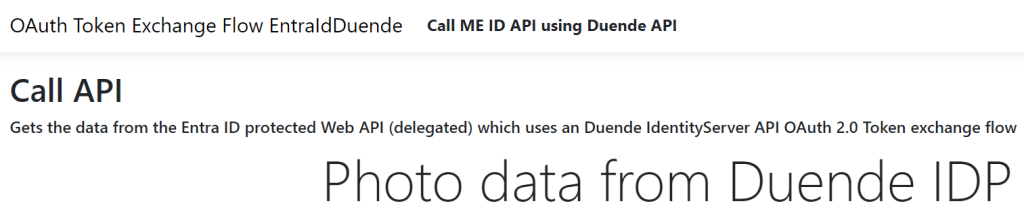
When all four applications are started, the data from the Duende protected API is returned to the Razor Page application which uses Microsoft Entra ID to authenticate.
Links
https://github.com/damienbod/OAuthGrantExchangeOidcDownstreamApi
https://docs.duendesoftware.com/identityserver/v7/tokens/extension_grants/token_exchange/
Best Current Practice for OAuth 2.0 Security
The OAuth 2.0 Authorization Framework
OAuth 2.0 Demonstrating Proof of Possession DPoP
OAuth 2.0 JWT-Secured Authorization Request (JAR) RFC 9101
OAuth 2.0 Mutual-TLS Client Authentication and Certificate-Bound Access Tokens
Microsoft identity platform and OAuth 2.0 On-Behalf-Of flow
JSON Web Token (JWT) Profile for OAuth 2.0 Access Tokens
https://learn.microsoft.com/en-us/aspnet/core/security/authentication/social/additional-claims

 Software Engineering
[…] ASP.NET Core delegated OAuth Token Exchange access token management […]
[…] ASP.NET Core delegated OAuth Token Exchange access token management […]
[…] ASP.NET Core delegated OAuth Token Exchange access token management (Damien Bowden) […]