This post looks at implementing a guest user invite in a cross tenant setup. This is useful when creating partner tenants using an Entra ID MAU license for all partner guests and members. This makes it possible to keep the home tenant separated for internal members.
Setup
The Partners or guest Entra ID tenant is setup to only contain identities and no applications. This is where all the guests are managed. The Entra ID tenant uses a MAU tenant. The application is hosted in the home tenant where all the applications are managed. This can be an App Service, Azure Container application or whatever. This setup is not required if the application is hosted in the same partner tenant.
In the example, the web application uses two Entra ID app registrations, one for the web application authentication and one to create the guest users using Microsoft Graph SDK5. The Graph Application User.Invite.All permission is used and this can be only used from a trusted backend. No delegated permission is used in this setup.
The Graph App registration uses an user assigned managed identity to create the federated credential to use the Enterprise application in the partner tenant. The user assigned managed identity can be used by any service or application inside the host tenant.
The Graph Enterprise application is created in the partner tenant for the home tenant App registration. This Enterprise application is created for only the home tenant and no other tenant. In the partner tenant, it is also possible to restrict the tenants that can use this.
With this setup, no secret is required to use the guest invite functionality.
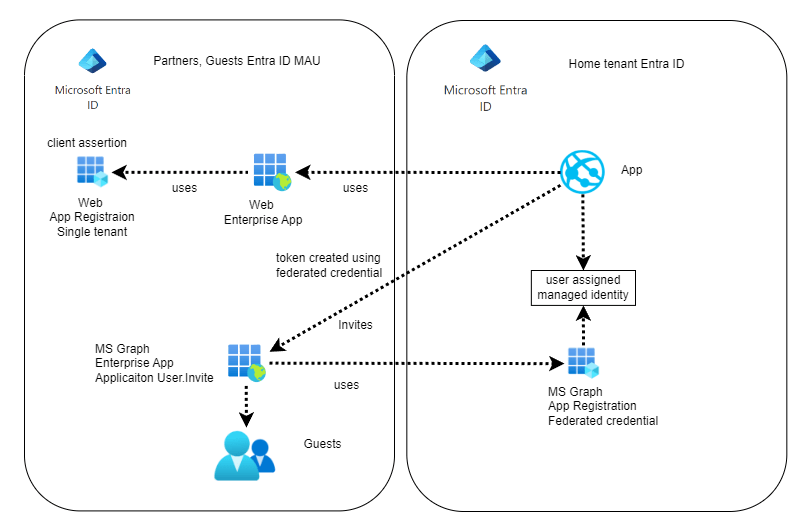
Graph App registration on home tenant
For this setup, a multi-tenant App registration is created with the Microsoft Graph Application User.Invite.All permission. A federated credential is created using a user assigned managed identity.
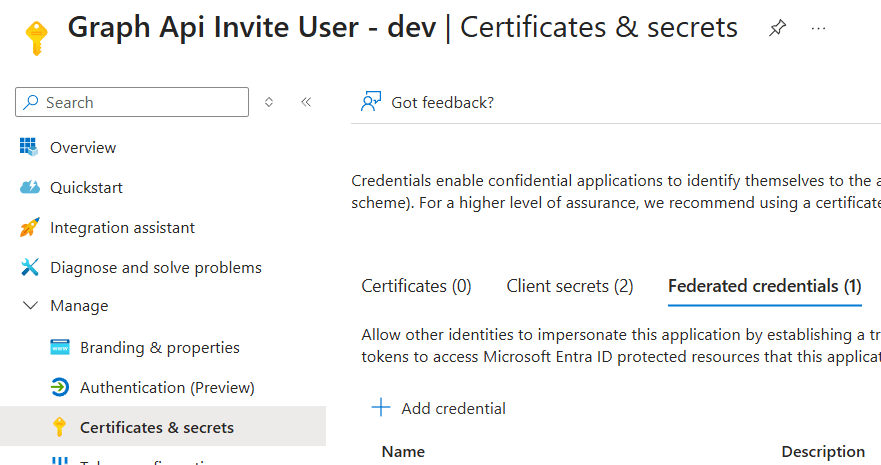
Enterprise app on partner Entra ID tenant
An Enterprise application is created using the App registration on the home tenant. As this is a multi-tenant App registration, it can be created on any tenant. You MUST ensure that you use the correct App registration from your home tenant.
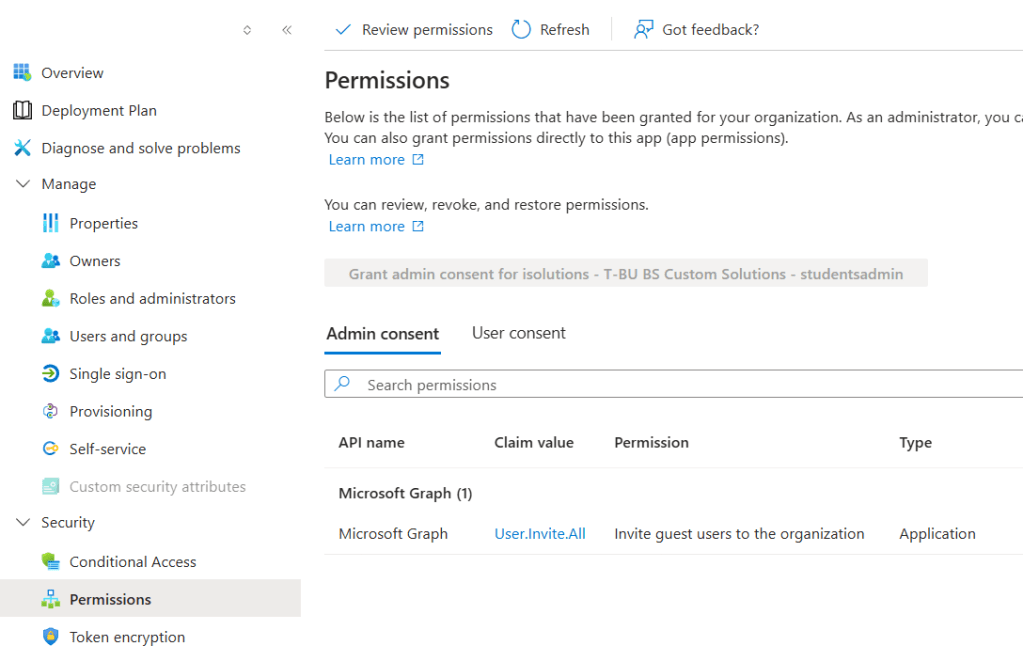
This solutions work good and requires no secret or client certificate. No secret rotation is required. The user assigned managed identity can be used by any service or application on the home tenant. This is used in the federated credential flow to create the cross tenant access token. This is a possible security risk inside the home tenant, especially if multiple applications, services, agents, people with different levels of knowledge are using and accessing the Entra ID tenant.
Alternative solution
A client assertion can also be used instead of a user managed identity. The access to the client certificate is restricted to the Application and stored in an Azure Key vault. The access token can be created or accessed by less services or applications now compared to the user assigned managed identity. The certificate needs to be rotated, managed and deployed. Both App registrations are single tenants in this setup. The Application is hosted in the home tenant, but it can be hosted anywhere.
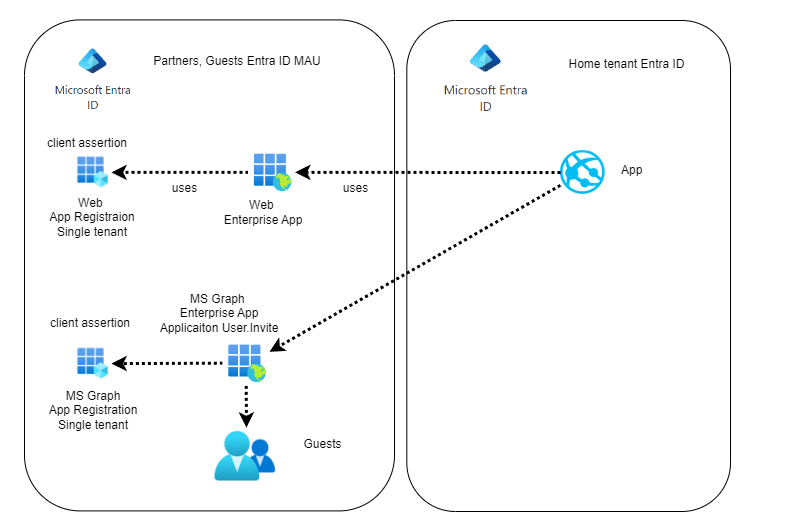
You can also deploy a key vault and the application to the partner tenant. With this setup, only single tenant app registrations are required and a system assigned managed identity can be used again.
Links
https://learn.microsoft.com/en-us/azure/azure-signalr/signalr-howto-authorize-cross-tenant

 Software Engineering
[…] Invite Guest users in a Entra ID Multi-tenant setup (Damien Bowden) […]