This article looks at different ways to create hashes in .NET Core. Hashes are useful for one way encryption which can be used for password storage, JWT validation and some other security use cases. When storing hashes in a database, extra care must be taken and the recommended approach from Microsoft should be used when implementing this. In general, creating hashes and storing the hashes in a database should be avoided as much as possible
History
- 2024-07-01 Updated the SHA512 hash methods using feedback from Kévin Chalet
Using SHA512
The fastest and simplest way is to user the SHA512 directly. This takes a string and hashes it directly using a one way encryption. This is good when the hashes are not persisted in a database or when attackers don’t have time to do a dictionary attack.
public static string ToHashedCodeV1(string code)
{
	using var sha512 = SHA512.Create();
	var bytes = Encoding.UTF8.GetBytes(code);
	var hash = sha512.ComputeHash(bytes);
	return Convert.ToBase64String(hash);
}

public static bool VerifyCodeV1(string code, string storedCode)
{
	using var sha512 = SHA512.Create();
	var bytes = Encoding.UTF8.GetBytes(code);
	var hash = sha512.ComputeHash(bytes);

	var storedHash = Convert.FromBase64String(storedCode);

	return CryptographicOperations.FixedTimeEquals(hash, storedHash);
}
The SHA512.HashDataAsync method can also be used to create the hashes.
public static async Task<string> ToHashedCodeV2(string code)
{
	var bytes = Encoding.ASCII.GetBytes(code);
	var hash = await SHA512.HashDataAsync(new MemoryStream(bytes));
	return Convert.ToHexString(hash);
}

public static async Task<bool> VerifyCodeV2(string code, string storedCode)
{
	var storedHash = Convert.FromHexString(storedCode);

	var bytes = Encoding.ASCII.GetBytes(code);
	var hash = await SHA512.HashDataAsync(new MemoryStream(bytes));

	return CryptographicOperations.FixedTimeEquals(hash, storedHash);
}
Using Rfc2898DeriveBytes.Pbkdf2
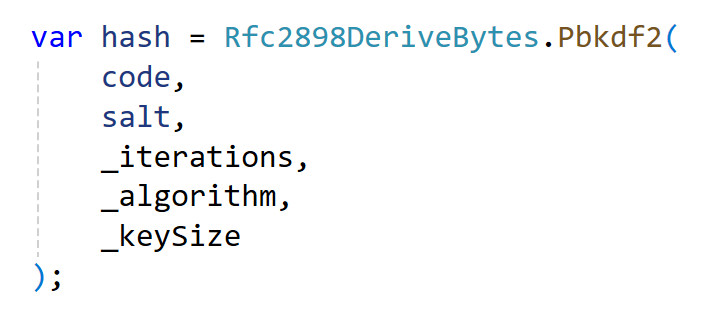
The Rfc2898DeriveBytes.Pbkdf2 method can be used to create hashes and when using this, a salt of 8 bytes or more should be used and more than 10000 iterations. This makes it harder to reverse engineer the original hash values.
private const int _keySize = 32;
private const int _iterations = 10000;
private static readonly HashAlgorithmName _algorithm = HashAlgorithmName.SHA512;

public static string ToHashedCode(string toHash, string userId)
{
     var salt = Encoding.UTF8.GetBytes(userId);

     var hash = Rfc2898DeriveBytes.Pbkdf2(
         toHash,
         salt,
         _iterations,
         _algorithm,
         _keySize
     );

     return Convert.ToBase64String(hash);
}

public static bool VerifyCode(string code, string userId, string storedCode)
{
     var salt = Encoding.UTF8.GetBytes(userId);
     var storedHash = Convert.FromBase64String(storedCode);

     var hash = Rfc2898DeriveBytes.Pbkdf2(
         code,
         salt,
         _iterations,
         _algorithm,
         _keySize
     );

     return CryptographicOperations.FixedTimeEquals(hash, storedHash);
}
Using ASP.NET Core Identity
ASP.NET Core Identity provides interfaces to create password hashes for data storage. You can use any C# type to define the password hasher and the Identity user class is normally used to create an instance of the PasswordHasher class. The hashes from this implementation can be saved to a database. This hash implementation is slow to create the hashes.
private readonly PasswordHasher<string> _passwordHasher = new();

public static string ToHashedCode(string code, string userId,
      PasswordHasher<string> passwordHasher)
{
	var hash = passwordHasher.HashPassword(userId, code);
	return hash;
}

public static bool VerifyCode(string code, string userId, string storedCode)
{
	var passwordHasher = new PasswordHasher<string>();
	var result = passwordHasher.VerifyHashedPassword(userId, storedCode, code);
	return result == PasswordVerificationResult.Success;
}
Notes
Using the right hash implementation is important and choosing the wrong one could result in a security problem. You should aim for solutions where implementing this should not be required. When storing hash values to a database, the Microsoft recommendations should be followed. Best would be to use the default implementation from ASP.NET Core Identity, when this is possible.
Links
https://andrewlock.net/exploring-the-asp-net-core-identity-passwordhasher/
https://learn.microsoft.com/en-us/aspnet/core/security/authentication/identity-configuration

 Software Engineering
[…] Creating hashes in .NET (Damien Bowden) […]
[…] Creating hashes in .NET – Damien Bowden […]
[…] CREATING HASHES IN .NETThis article covers various methods for creating hashes in .NET. Hashes are useful for one-way encryption, which is used to securely store passwords and other sensitive data. They are also used to verify JWTs and in many other scenarios. […]