Tag Archives: aspnetcore

Implement Phone verification, 2FA using ASP.NET Core Identity
This post shows how to implement phone (SMS) verification and two-factor authentication (2FA) using ASP.NET Core Identity. The solution integrates phone-based verification and 2FA mechanisms. The implementation uses ASP.NET Core Identity’s extensibility to incorporate SMS-based verification during user registration and login processes. SMS is no longer a recommended authentication method due to security risks but […]

Use client assertions in OpenID Connect and ASP.NET Core
Client assertions is a method of client authentication which can be used in OpenID Connect. This provides an alternative to client secrets. This approach enhances security by using signed tokens (JWTs) to authenticate clients during the token request process or the OAuth PAR request. In ASP.NET Core, client assertions is not supported per default, a […]
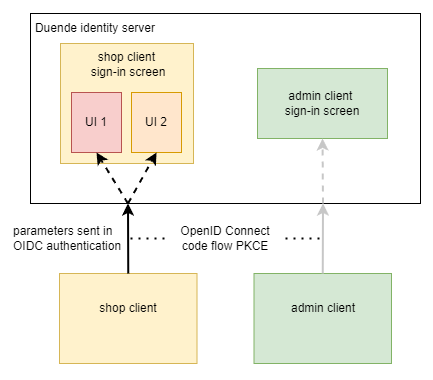
Customizing a single client sign-in using parameters in Duende IdentityServer
This post looks at customizing the sign-in UI and the sign-in options in an ASP.NET Core application using Duende IdentityServer and ASP.NET Core Identity. There are multiple ways of changing the look and feel of the UI for different OpenID Connect clients or different client flows. In the previous post, the UI was customized per […]

ASP.NET Core delegated OAuth Token Exchange access token management
This blog shows how to implement a delegated OAuth 2.0 Token Exchange RFC 8693 flow in ASP.NET Core, and has a focus on access token management. It looks at how the OAuth Token Exchange can be implemented and how an application can request delegated access tokens on behalf of a user and another application, providing […]

ASP.NET Core user delegated access token management
The article looks at managing user delegated access tokens for a downstream API in an ASP.NET Core web application. There are many ways of implementing this, all with advantages and disadvantages. The tokens are requested from an OpenID Connect server using the recommended standards. In this blog, the UI access token from the application authentication […]

Implement a Geo-distance search using .NET Aspire, Elasticsearch and ASP.NET Core
This article shows how to implement a geo location search in an ASP.NET Core application using a LeafletJs map. The selected location can be used to find the nearest location with an Elasticsearch Geo-distance query. The Elasticsearch container and the ASP.NET Core UI application are setup for development using .NET Aspire. Code: https://github.com/damienbod/WebGeoElasticsearch Setup For […]

Implement OpenID Connect Back-Channel Logout using ASP.NET Core, Keycloak and .NET Aspire
This post shows how to implement an OpenID Connect back-channel logout using Keycloak, ASP.NET Core and .NET Aspire. The Keycloak and the Redis cache are run as containers using .NET Aspire. Two ASP.NET Core UI applications are used to demonstrate the server logout. Code: https://github.com/damienbod/keycloak-backchannel Setup The applications are run and tested using .NET Aspire. […]

Implementing an ASP.NET Core API with .NET 9 and OpenAPI
This post implements a basic ASP.NET Core API using .NET 9 and the Microsoft OpenAPI implementation. The OpenAPI Nuget package supports both Controller based APIs and minimal APIs. Until now, we used excellent solutions like NSwag to produce the API schemas which can be used to auto-generate client code. Code: https://github.com/damienbod/WebApiOpenApi Setup A .NET 9 […]
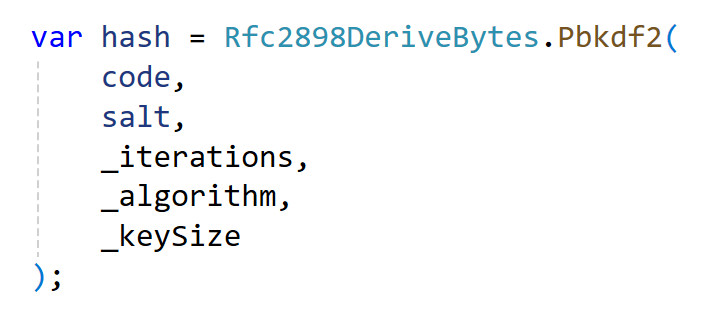
Creating hashes in .NET
This article looks at different ways to create hashes in .NET Core. Hashes are useful for one way encryption which can be used for password storage, JWT validation and some other security use cases. When storing hashes in a database, extra care must be taken and the recommended approach from Microsoft should be used when […]
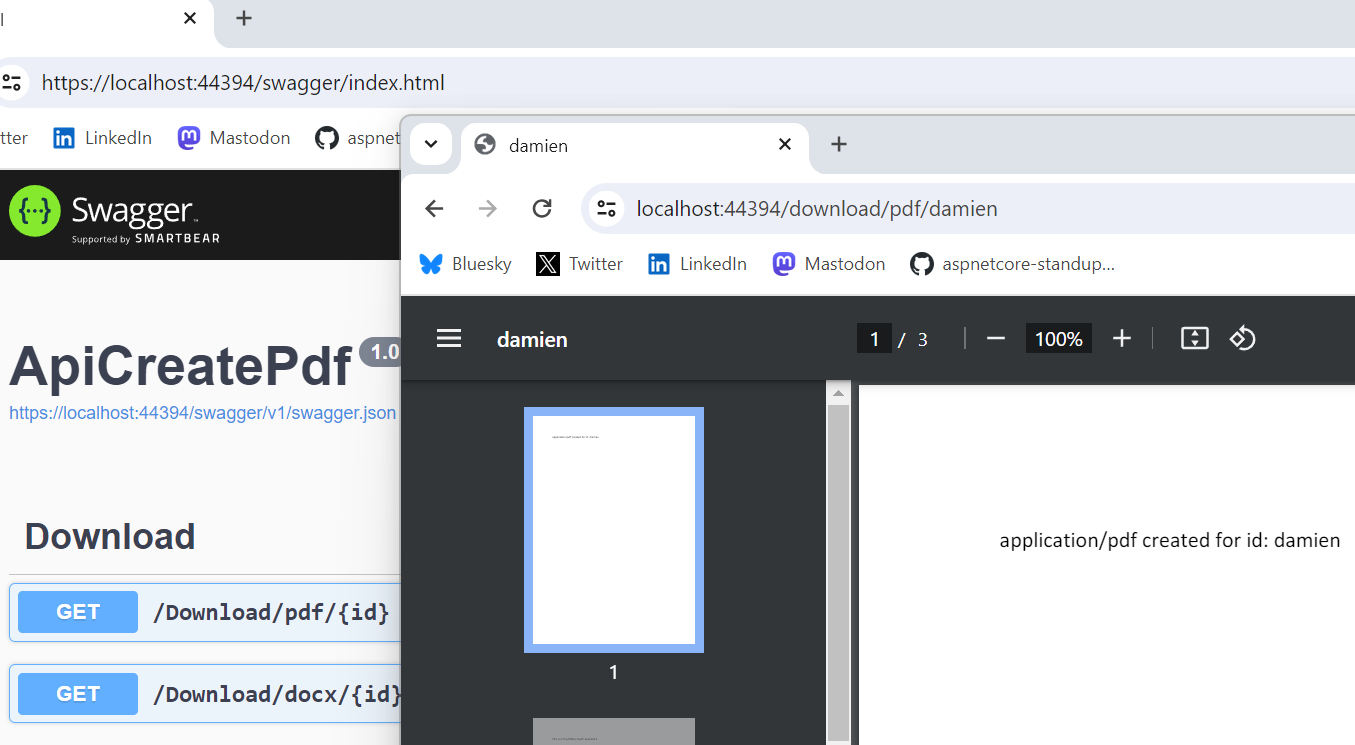
Creating and downloading a PDF or DOCX in ASP.NET Core
The post shows how a PDF can be created from data in an ASP.NET Core backend and downloaded using an API. The data could be loaded from different locations and exported then as a PDF or a docx or whatever you require. Code: https://github.com/damienbod/AspNetCoreCreatePdf Why GemBox? There are many different tools to generate PDF all […]

 Software Engineering