This article shows how to improve the security of an ASP.NET Core Web API application by adding security headers to all HTTP API responses. The security headers are added using the NetEscapades.AspNetCore.SecurityHeaders Nuget package from Andrew Lock. The headers are used to protect the session, not for authorization. The application uses Microsoft.Identity.Web to authorize the API requests. The security headers are used to protected the session. Swagger is used in development and the CSP needs to be weakened to allow swagger to work during development. A strict CSP definition is used for the deployed environment.
Code: https://github.com/damienbod/AzureAD-Auth-MyUI-with-MyAPI
Blogs in this series
- Improving application security in ASP.NET Core Razor Pages using HTTP headers – Part 1
- Improving application security in Blazor using HTTP headers – Part 2
- Improving application security in an ASP.NET Core API using HTTP headers – Part 3
History
- 2024-10-19 Updated security headers
- 2023-11-03 Fixed security header, removed XSS block
- 2023-03-11 Fix: applied security headers to all requests
The NetEscapades.AspNetCore.SecurityHeaders Nuget package is added to the csproj file of the web applications. The Swagger Open API packages are added as well as the Microsoft.Identity.Web to protect the API using OAuth.
<PackageReference Include="Microsoft.Identity.Web" Version="3.2.2" />
<PackageReference Include="IdentityModel.AspNetCore" Version="4.3.0" />
<PackageReference Include="NetEscapades.AspNetCore.SecurityHeaders" Version="1.0.0-preview.1" />
<PackageReference Include="Swashbuckle.AspNetCore" Version="6.9.0" />
<PackageReference Include="Swashbuckle.AspNetCore.Annotations" Version="6.9.0" />
The security header definitions are added using the HeaderPolicyCollection class. I added this to a separate class to keep the Startup class small where the middleware is added. I passed a boolean parameter into the method which is used to add or remove the HSTS header and create a CSP policy depending on the environment.
public static class SecurityHeadersDefinitionsAPI
{
    private static HeaderPolicyCollection? policy;

    public static HeaderPolicyCollection GetHeaderPolicyCollection(bool isDev)
    {
        // Avoid building a new HeaderPolicyCollection on every request for performance reasons.
        // Where possible, cache and reuse HeaderPolicyCollection instances.
        if (policy != null) return policy;

        policy = new HeaderPolicyCollection()
            .AddFrameOptionsDeny()
            .AddContentTypeOptionsNoSniff()
            .AddReferrerPolicyStrictOriginWhenCrossOrigin()
            .AddCrossOriginOpenerPolicy(builder => builder.SameOrigin())
            .AddCrossOriginEmbedderPolicy(builder => builder.RequireCorp())
            .AddCrossOriginResourcePolicy(builder => builder.SameOrigin())
            .RemoveServerHeader()
            .AddPermissionsPolicyWithDefaultSecureDirectives();

        policy.AddContentSecurityPolicy(builder =>
        {
            builder.AddObjectSrc().None();
            builder.AddBlockAllMixedContent();
            builder.AddImgSrc().None();
            builder.AddFormAction().None();
            builder.AddFontSrc().None();
            builder.AddStyleSrc().None();
            builder.AddScriptSrc().None();
            builder.AddBaseUri().Self();
            builder.AddFrameAncestors().None();
            builder.AddCustomDirective("require-trusted-types-for", "'script'");
        });

        if (!isDev)
        {
            // maxage = one year in seconds
            policy.AddStrictTransportSecurityMaxAgeIncludeSubDomains(maxAgeInSeconds: 60 * 60 * 24 * 365);
        }

        return policy;
    }
}
The SecurityHeadersDefinitionsSwagger adds the headers to support the Swagger UI and on the route /swagger.
/// <summary>
/// Weak security headers for Swagger UI
/// </summary>
public static class SecurityHeadersDefinitionsSwagger
{
    private static HeaderPolicyCollection? policy;

    public static HeaderPolicyCollection GetHeaderPolicyCollection(bool isDev)
    {
        // Avoid building a new HeaderPolicyCollection on every request for performance reasons.
        // Where possible, cache and reuse HeaderPolicyCollection instances.
        if (policy != null) return policy;

        policy = new HeaderPolicyCollection()
            .AddFrameOptionsDeny()
            .AddContentTypeOptionsNoSniff()
            .AddReferrerPolicyStrictOriginWhenCrossOrigin()
            .AddCrossOriginOpenerPolicy(builder => builder.SameOrigin())
            .AddCrossOriginEmbedderPolicy(builder => builder.RequireCorp())
            .AddCrossOriginResourcePolicy(builder => builder.SameOrigin())
            .RemoveServerHeader()
            .AddPermissionsPolicyWithDefaultSecureDirectives();

        policy.AddContentSecurityPolicy(builder =>
        {
            builder.AddObjectSrc().None();
            builder.AddBlockAllMixedContent();
            builder.AddImgSrc().Self().From("data:");
            builder.AddFormAction().Self();
            builder.AddFontSrc().Self();
            builder.AddStyleSrc().Self().UnsafeInline();
            builder.AddScriptSrc().Self().UnsafeInline(); //.WithNonce();
            builder.AddBaseUri().Self();
            builder.AddFrameAncestors().None();
        });

        if (!isDev)
        {
            // maxage = one year in seconds
            policy.AddStrictTransportSecurityMaxAgeIncludeSubDomains(maxAgeInSeconds: 60 * 60 * 24 * 365);
        }

        return policy;
    }
}
The headers are set for the different endpoints depending on the requirement and configuration. If deploying to a production environment, only the strict CSP is used.
// Open up security restrictions to allow this to work
// Not recommended in production
var deploySwaggerUI = builder.Configuration.GetValue<bool>("DeploySwaggerUI");
var isDev = builder.Environment.IsDevelopment();

builder.Services.AddSecurityHeaderPolicies()
    .SetPolicySelector((PolicySelectorContext ctx) =>
    {
        // sum is weak security headers due to Swagger UI deployment
        // should only use in development
        if (deploySwaggerUI)
        {
            // Weakened security headers for Swagger UI
            if (ctx.HttpContext.Request.Path.StartsWithSegments("/swagger"))
            {
                return SecurityHeadersDefinitionsSwagger.GetHeaderPolicyCollection(isDev);
            }

            // Strict security headers
            return SecurityHeadersDefinitionsAPI.GetHeaderPolicyCollection(isDev);
        }
        // Strict security headers for production
        else
        {
            return SecurityHeadersDefinitionsAPI.GetHeaderPolicyCollection(isDev);
        }
    });
In the Startup class, the UseSecurityHeaders method is used to apply the HTTP headers policy and add the middleware to the application. The env.IsDevelopment() is used to add or not to add the HSTS header. The default HSTS middleware from the ASP.NET Core templates was removed from the Configure method as this is not required. The UseSecurityHeaders is added before the swagger middleware so that the security headers are deployment to all environments.
public void Configure(IApplicationBuilder app, IWebHostEnvironment env)
{
	app.UseSecurityHeaders();

	if (env.IsDevelopment())
	{
		app.UseDeveloperExceptionPage();

		app.UseSwagger();
		app.UseSwaggerUI(c =>
		{
			c.SwaggerEndpoint("/swagger/v1/swagger.json", "API v1");
		});
	}
The server header can be removed in the program class if using Kestrel. If using IIS, you probably need to use the web.config to remove this.
builder.WebHost.ConfigureKestrel(serverOptions =>
{
    serverOptions.AddServerHeader = false;
});
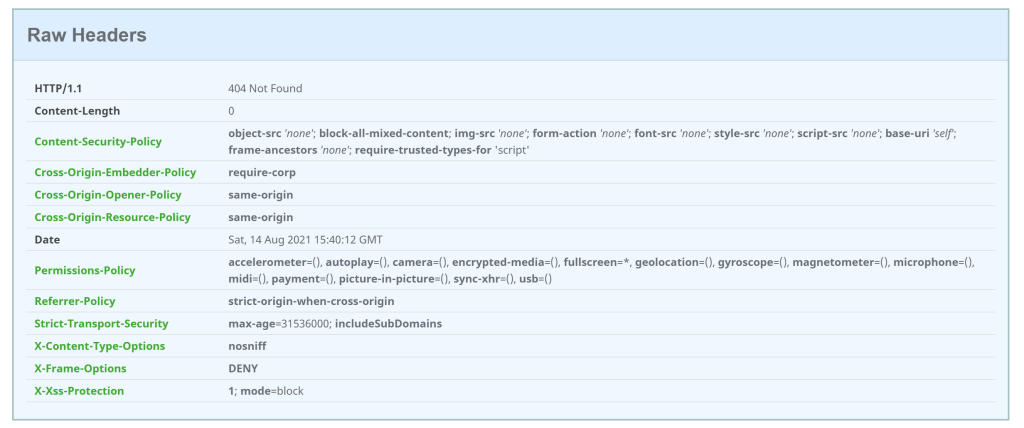
Running the application using a non development environment, the securtiyheaders.com check returns good results. Everything is closed as this is an API with no UI.
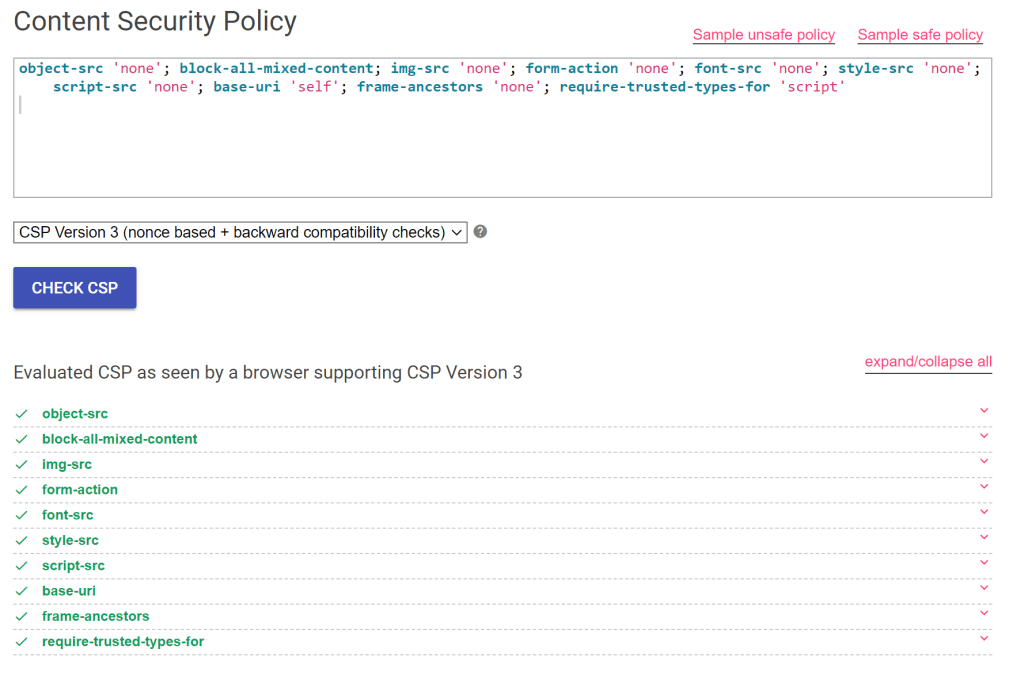
And the https://csp-evaluator.withgoogle.com/ check returns a very possible evaluation of the headers.
If a swagger UI is required, the API application can be run in the development environment. This could also be deployed if required, but in a production deployment, you probably don’t need this.
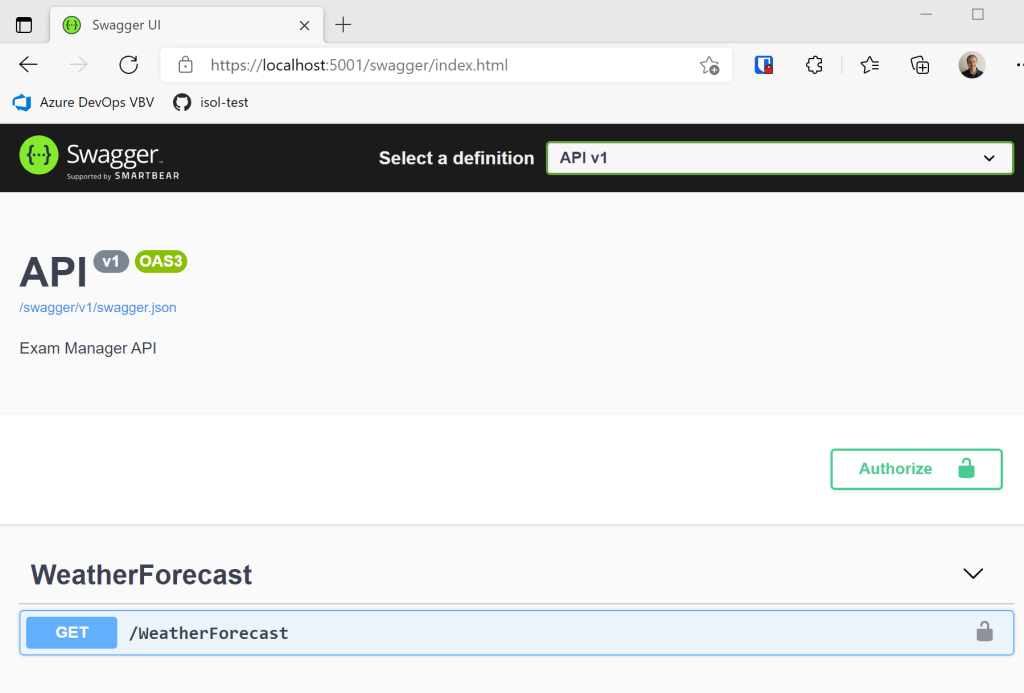
To support the swagger UI, a weakened CSP is used and the https://csp-evaluator.withgoogle.com/ check returns a more negative result.

Notes:
I block all traffic, if possible, which is not from my domain including sub domains. If implementing enterprise applications, I would always do this. If implementing public facing applications with high traffic volumes or need extra fast response times, or need to reduce the costs of hosting, then CDNs would need to be used, allowed and so on. Try to block all first and open up as required and maybe you can avoid some nasty surprises from all the Javascript, CSS frameworks used.
Links
https://csp-evaluator.withgoogle.com/
Security by Default Chrome developers
A Simple Guide to COOP, COEP, CORP, and CORS
https://github.com/andrewlock/NetEscapades.AspNetCore.SecurityHeaders
https://github.com/dotnet/aspnetcore/issues/34428
https://w3c.github.io/webappsec-trusted-types/dist/spec/
https://web.dev/trusted-types/
https://developer.mozilla.org/en-US/docs/Web/HTTP/Cross-Origin_Resource_Policy_(CORP)
https://developer.mozilla.org/en-US/docs/Web/HTTP/CORS
https://developer.mozilla.org/en-US/docs/Web/HTTP/Cookies
https://docs.google.com/document/d/1zDlfvfTJ_9e8Jdc8ehuV4zMEu9ySMCiTGMS9y0GU92k/edit

 Software Engineering
[…] Improving application security in an ASP.NET Core API using HTTP headers – Part 3 (Damien Bowden) […]
[…] 2021) (Azure SDK Team) Support for fetching nested paths in OData Web API (Clement Habinshuti) Improving application security in an ASP.NET Core API using HTTP headers – Part 3 (Damien Bowden) Setting up a CI/CD Pipeline for your JavaScript Project (Eugene Panchenko) […]
[…] Improving application security in an ASP.NET Core API using HTTP headers – Part 3 – Damien Bowden […]
I thought most of these HTTP headers only really applied to HTML pages. If you aren’t shipping the Swagger UI, do you strictly need them? If you do ship the Swagger UI, I thought you’d only need the headers returned from the HTML page response itself.
Hi Muhammad, yes and no, if you don’t need this, then close it down, I see most API domains hosting static files or html which sometimes gets added later in the project after the initial release and after the security testing is complete. This way you protect the API host per default and force an active decision on security when adding UIs, static content. Why leave this open if you don’t need it?
Greetings Damien
Is a way to ensure the headers only get added to the Swagger UI page?
Thanks for the post, very interesting.
Thanks, this would be possible if you re-order the middleware in the configure method. My question is, why not add them the all requests? Greetings Damien
Performance I guess because they don’t apply to JSON API endpoints.
Admittedly, it won’t make much difference.
[…] Improving application security in an ASP.NET Core API using HTTP headers – Part 3 […]
[…] Improving application security in an ASP.NET Core API using HTTP headers – Part 3 […]